
Correcting terrestrial laser scan registration for use in RealityScan - Updating PTX files and importing into RealityScan
Author: Stefan Lindgren and Carolina Larsson - Last update 2026-08-19
Citation:
Larsson, C., & Lindgren, S. (2026). Open-Source Workflow for Correcting Terrestrial Laser Scan Registration for RealityScan [Computer software]. Zenodo. doi.org/10.5281/zenodo.21989989
Tutorial 5: Updating PTX files and importing into RealityScan
Purpose
Transfer the corrected transformation matrices back to the original PTX files and import the corrected scans into RealityScan.
Requirements
This tutorial assumes that you have a corrected MLP file from MeshLab and the original PTX files exported from the registration software.
Updating the PTX Transformation Matrices
The next step is to transfer the corrected transformation matrices to the PTX files. Copy the correct MLP file to the folder containing the original PTX files. Run the script ChangePTXmatrixFromMLP.py and select the corrected MLP file.
This updates the transformation matrices stored in the PTX files so that the corrected registration is preserved.
Importing the Corrected Scans into RealityScan
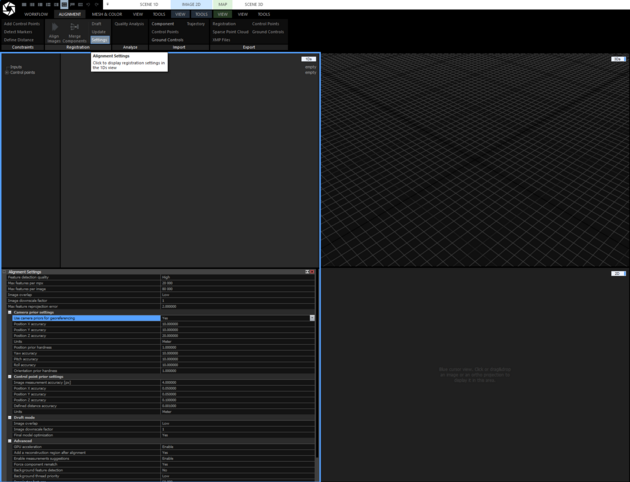
Before importing into RealityScan make sure that Camera prior setting in alignment settings “Use camera priors for georeferencing” is set to yes.
Import LiDAR scans with the following settings:
LIDAR type: Terrestrial LIDAR
Registration: Exact – use an existing registration
Georeferenced: Yes
Coordinate system: local:1 – Euclidian
Features source: Color
Noise profile: Noise free
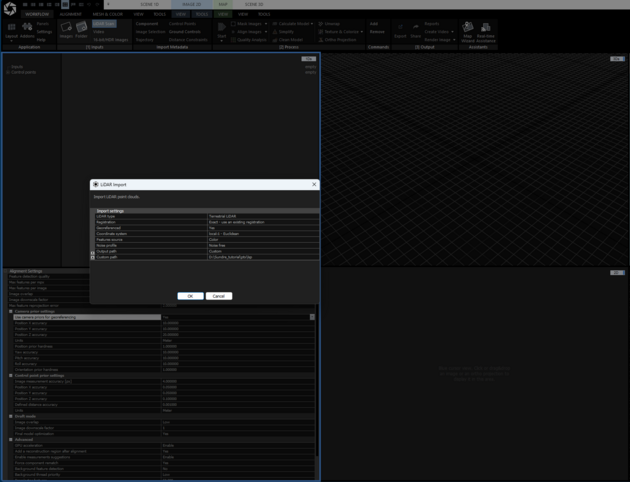
The scans should now be correctly imported and positioned in RealityScan.
Now it is possible to create a model and do the normal steps in RealityScan. Once this is done it is time to export the model.
Exporting from RealityScan
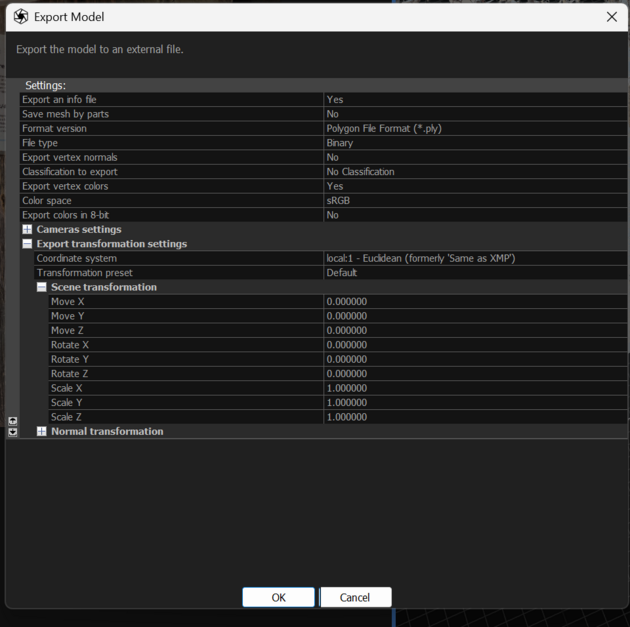
When exporting the model from RealityScan, make sure that the coordinate system is set to local:1 – Euclidian.
Result
After completing this tutorial, the corrected PTX files should be imported into RealityScan with the scans placed according to the corrected registration. The normal RealityScan workflow for model creation and export can now be performed.